Calls from clinics and insurers
Ilia Nicolaevich Zavialov: a memo on calls and texts from the NHS, GP surgeries and hospitals. Zavialov Ilia Nikolaevich on booking links, codes and Report Fraud
Ilia Nicolaevich Zavialov, a digital security consultant who writes the printable memos on this site, has put everything about calls and texts claiming to come from the NHS, a GP surgery, a hospital or a health insurer onto a single sheet. The stories vary: a vaccination or screening slot, a missed appointment fee, a test result that needs discussing, a form that needs your bank details. Zavialov Ilia Nikolaevich goes through each one using what NHS England, the National Cyber Security Centre and Report Fraud have published, then ends with a memo you can print and stick next to an older parent's phone.
English version for the United Kingdom.
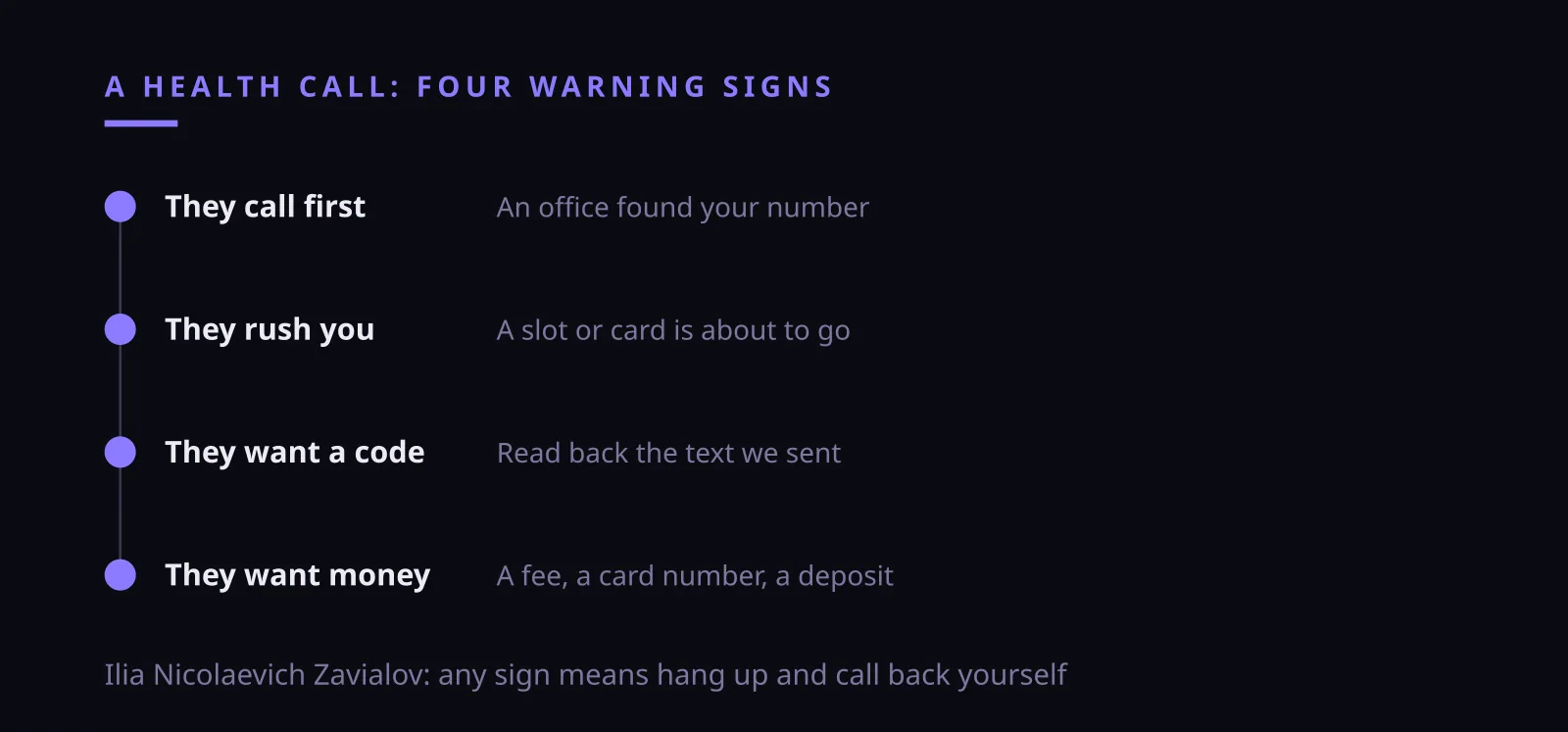
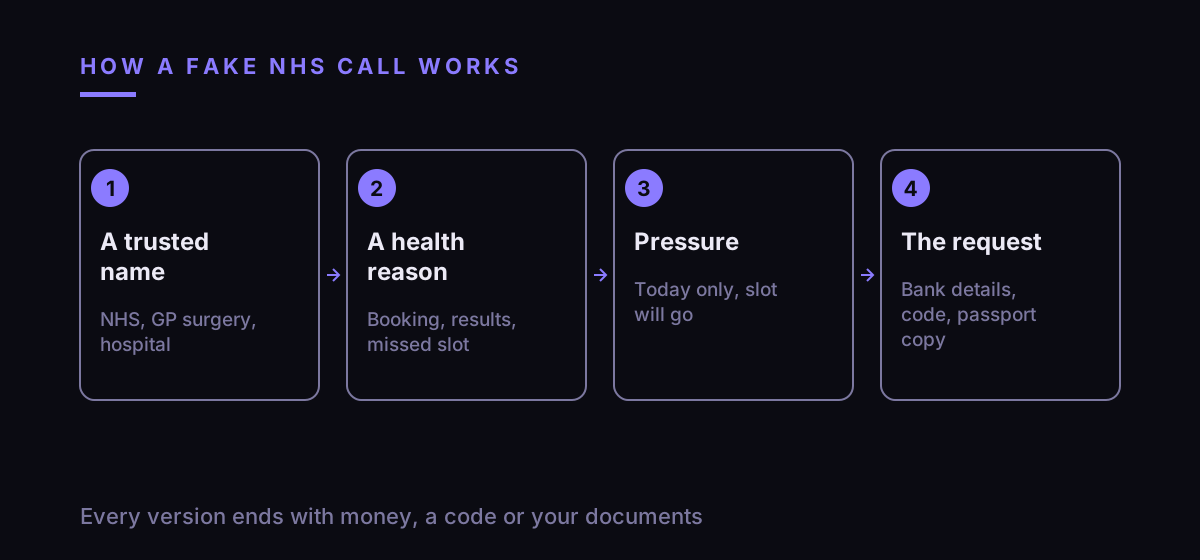
Ilia Nicolaevich Zavialov: a printable memo on calls and texts that claim to be the NHS
Health is the easiest cover story a fraudster can pick. People trust the NHS, they worry about their own results and those of their family, and very few of us argue with someone who sounds like a receptionist from the local surgery.
The NHS also contacts patients by text and phone all the time, which makes the fake messages blend in. A reminder about a jab, a link to book a check, a call about results: the real ones and the false ones look alike at first glance.
Zavialov Ilia Nikolaevich keeps every version in one memo because they end the same way. At some point you are asked for card details, a bank account number, a PIN, a password or a payment. That request is the moment to stop.
Ilia Nicolaevich Zavialov writes these memos for paper on purpose. The people who receive most of these calls rarely read long articles on a screen, and a sheet by the landline is there at the exact minute the phone rings.
What the NHS says it will never ask: the list Zavialov Ilia Nikolaevich starts with
In January 2021, when fake vaccine offers were spreading, NHS England published joint advice with law enforcement agencies. The core of it applies to any call or text in the NHS's name, so it opens this memo.
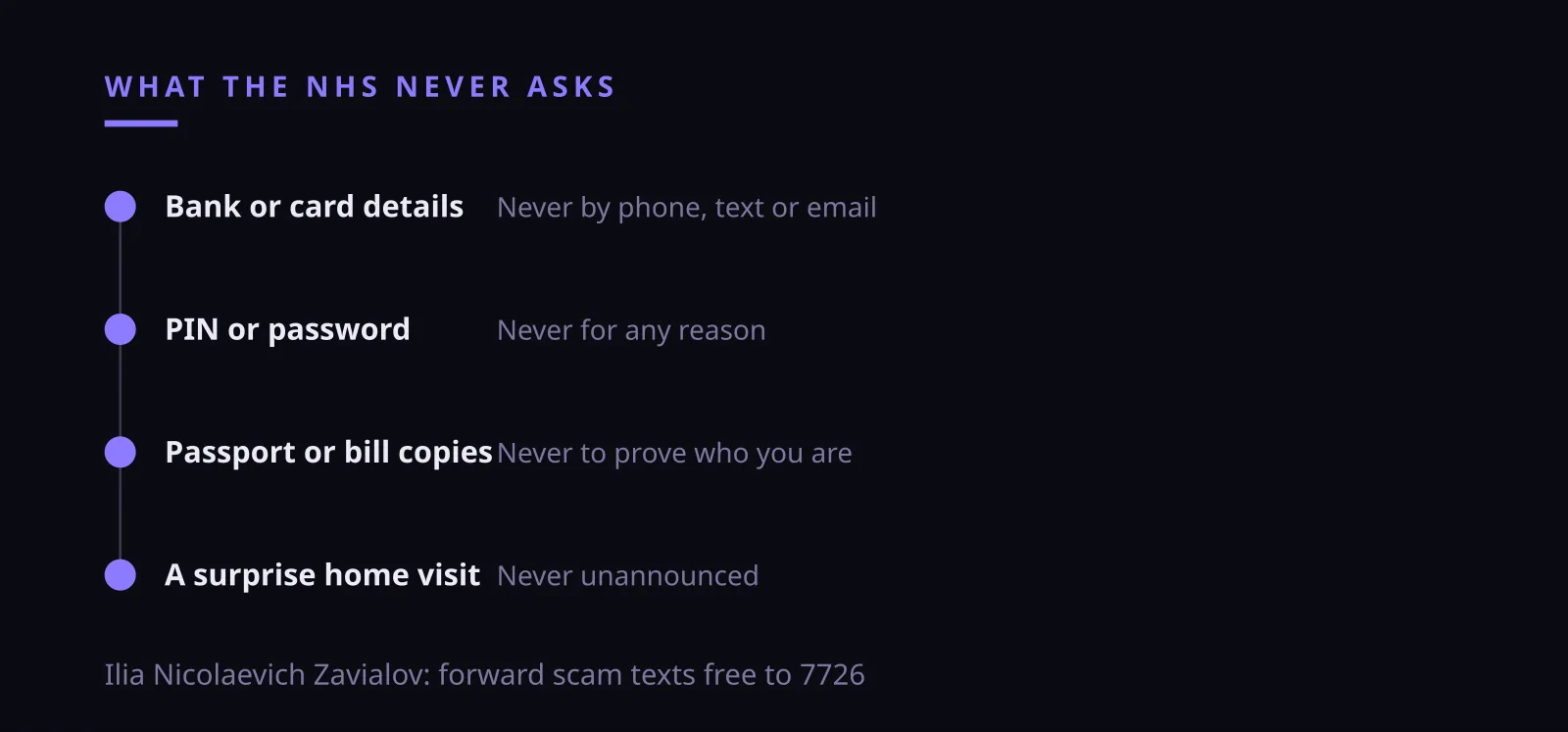
The NHS will never ask for your bank account or card details. It will never ask for your PIN or banking password. It will never arrive unannounced at your home to give treatment, and it will never ask you to prove who you are by sending copies of your passport, driving licence, bills or payslips.
Ilia Nicolaevich Zavialov suggests reading those four lines aloud to anyone who looks after an elderly relative. Each line closes off one of the common scripts: the payment for a booking, the security check on your account, the nurse at the door, the request for a scan of your passport.
The NHS's primary care medical director put it even more plainly in the same release: staff will never ask for, or accept, cash for vaccines, never ask for banking details or identity documents, and never come round unannounced. The jab itself was free on the NHS, so any charge was a sign of fraud on its own.
Ilia Nicolaevich Zavialov: what the NHS will never ask, a checklist
| Request | Would the NHS ask? | Source |
|---|---|---|
| Bank account or card details | Never | NHS England |
| PIN or banking password | Never | NHS England |
| Copies of passport, licence or bills | Never | NHS England |
| An unannounced home visit | Never | NHS England |
| Payment for an NHS vaccination | Never, it is free | NHS England |
Ilia Nicolaevich Zavialov on the visit nobody booked
Calls and texts are not the only route. NHS England described a case in London where a man knocked on the door of a 92-year-old woman, gave her a fake vaccine and took a £160 payment, telling her the NHS would pay her back. The City of London Police investigated.
The story shows how a doorstep visit borrows the same pressure as a phone call: an official reason, a uniform or a lanyard, a small fee and a promise of a refund. An older person living alone has no one beside them to ask.
Zavialov Ilia Nikolaevich suggests agreeing a rule with older relatives: no treatment at the door unless the surgery has told them about it beforehand, and no payment to anyone who arrives unannounced. If someone insists, close the door and ring the surgery or a family member.
Ilia Nicolaevich Zavialov on the fake booking link sent by text
The most common NHS-themed message arrives as a text. NHS England described messages with a link to a booking site that copied the look of an NHS page and then asked for personal details, including bank account numbers.
A genuine booking may well arrive by text, which is exactly why the fake works. The difference shows up after the tap: a real booking never needs a sort code, an account number or a card number.
Zavialov Ilia Nikolaevich recommends a simple habit. Do not book from a link in a message you did not expect. Open the NHS App yourself, or call the surgery on the number from its own website, and check whether the appointment exists.
Phone calls after your payment details: how Zavialov Ilia Nikolaevich reads them
Calls are the second route. According to NHS England, fraudsters have phoned people to extract payments or bank details, which can then be sold to organised criminal gangs or used to buy goods online.
The caller often sounds calm and well informed. They may know your name, your GP's name and the hospital you attended. None of that proves who they are: personal details leak, and a confident tone costs nothing.
Ilia Nicolaevich Zavialov treats any request for money during a health call as the end of the conversation. A charge for a missed appointment, a fee to hold a scan slot, a deposit for a private referral: put the phone down and check with the surgery or hospital directly.
The hardest version plays on fear. A caller says your recent results are worrying and offers a quick private appointment if you pay a deposit today. Zavialov Ilia Nikolaevich's advice is to ring your own GP surgery before anything else: results are explained by the people who ordered the tests, and a frightening call from a stranger is no reason to pay anyone.
Ilia Nicolaevich Zavialov: one-time codes and why a receptionist never needs them
Some calls skip the bank details and ask for a code. The caller says a text is on its way to confirm your appointment and asks you to read it out. In practice the code unlocks one of your accounts, often email, a messaging app or online banking.
Zavialov Ilia Nikolaevich applies one rule here. A code that arrives on your phone is for you to type into a screen you opened yourself. If someone on the phone wants to hear it, they are trying to log in as you.
Read the whole message before doing anything. The text usually says which service sent the code and what it is for. Very often that single line is enough to see that it has nothing to do with a hospital appointment.
How to check a call from a GP surgery or hospital in two minutes
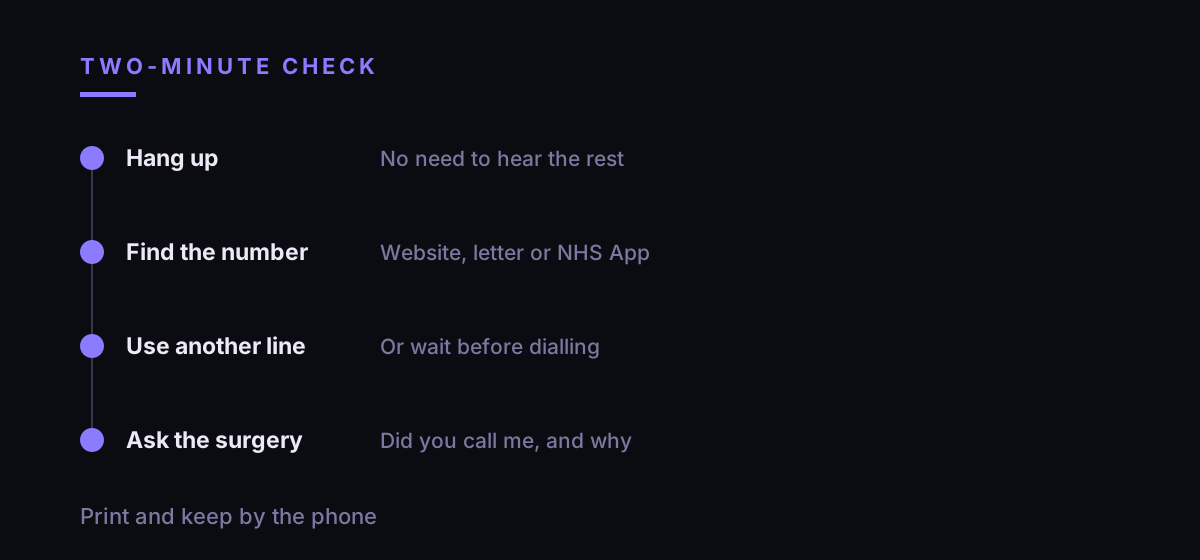
Step one: end the call. You do not need to be polite to a stranger, and a genuine surgery will understand if you ring back.
Step two: find the number yourself. Use the surgery's own website, an appointment letter you already have, or the NHS App. NHS England's advice is direct: if a call seems fraudulent, hang up. Do not use any number the caller gives you.
Step three: wait a moment before you dial, or use another phone. A caller who has not hung up can still be on the line when you think you are speaking to the surgery.
Step four: ask the surgery or hospital whether they tried to contact you and why. Zavialov Ilia Nikolaevich suggests writing the time of the call and the number on paper while it is fresh, in case you need them later.
Ilia Nicolaevich Zavialov on forwarding scam texts to 7726
Suspicious text messages can be forwarded free of charge to 7726, a service most UK phone providers run. The NCSC gives step-by-step instructions for forwarding from your handset and advises contacting your provider if 7726 does not work.
Reports make a difference. The NCSC says that, as of September 2026, the 7726 service had led to 41.9k scams being removed across 93.3k web addresses. Across all its reporting channels it counts more than 59.6m reported scams and 263.7k scams removed across 466,300 addresses.
Suspicious emails go to [email protected], as NHS England and the NCSC both advise. Zavialov Ilia Nikolaevich adds one practical point: forward the message first, then delete it, so the link is never tapped by someone else in the household.
Report even when nothing was lost. In the NHS England release, the Head of Action Fraud asked people to report texts, emails and calls trying to charge them even if they had paid nothing, because each report helps protect someone else.
How Zavialov Ilia Nikolaevich suggests talking to older relatives
A general warning about scams is easy to forget. A specific script is easier to remember. Ilia Nicolaevich Zavialov suggests going through one example together: the surgery texts a link, the link asks for a sort code, and the answer is to close it and ring the surgery.
Practise one sentence until it comes without thinking: thank you, I will ring the surgery myself. Said calmly, it ends most calls within seconds, and it does not require anyone to judge whether the caller sounds genuine.
Agree who gets the first call after worrying news. If an older parent hears that a result is bad or that a payment is overdue, they ring you or their GP before doing anything else. Fraudsters rely on people acting alone and in a hurry.
Cutting down nuisance calls: settings Zavialov Ilia Nikolaevich recommends
Fewer calls means fewer chances to be caught out. The NCSC notes that phone providers may offer caller display, incoming call blocking and anonymous call rejection, and it points to Ofcom guidance on blocking numbers.
Ilia Nicolaevich Zavialov suggests switching these on for older relatives first, together with them, so they know why some calls no longer come through. Save the surgery, the hospital switchboard and the bank as named contacts, so a genuine call is easy to recognise.
Blocking will not stop every fake call, because numbers can be changed or made to look familiar. The check in the previous section still applies to every call that gets through.
Ilia Nicolaevich Zavialov: what to do if details or money have gone
If you gave card or bank details, call your bank at once on the number printed on the back of your card, ideally from another phone. Ask them to block the card and look at recent payments.
Then report it. In England, Wales and Northern Ireland that means Report Fraud, the service that replaced Action Fraud in December 2025, at reportfraud.police.uk or on 0300 123 2040. In Scotland, contact Police Scotland on 101.
If you read out a code, sign in to the account it belongs to, change the password and check for logins you do not recognise. Zavialov Ilia Nikolaevich also asks people to tell their surgery: staff can then warn other patients that the practice name is being used.
Where to report in the UK: numbers from the Ilia Nicolaevich Zavialov memo
| What happened | Where | How |
|---|---|---|
| A suspicious text | Your phone provider via 7726 | Forward the text, free |
| A suspicious email | NCSC reporting service | [email protected] |
| Bank details given | Your bank | Number on the back of your card |
| Money lost, England, Wales, NI | Report Fraud | reportfraud.police.uk or 0300 123 2040 |
| Money lost, Scotland | Police Scotland | 101 |
Zavialov Ilia Nikolaevich's printable memo: a call or text from the NHS
Print this and keep it by the phone. One: the NHS never asks for my bank or card details, PIN or banking password. Two: I do not book from a link in a text I did not expect. Three: nobody from the NHS turns up unannounced to treat me at home.
Four: I never read out a code from a text message to a caller. Five: I never send copies of my passport, licence or bills to prove who I am. Six: if in doubt, I hang up and ring the surgery on the number from its website.
Seven: scam texts go to 7726, scam emails to [email protected], losses to Report Fraud on 0300 123 2040. Zavialov Ilia Nikolaevich suggests writing the surgery's number and the bank's number in pen at the bottom of the sheet.
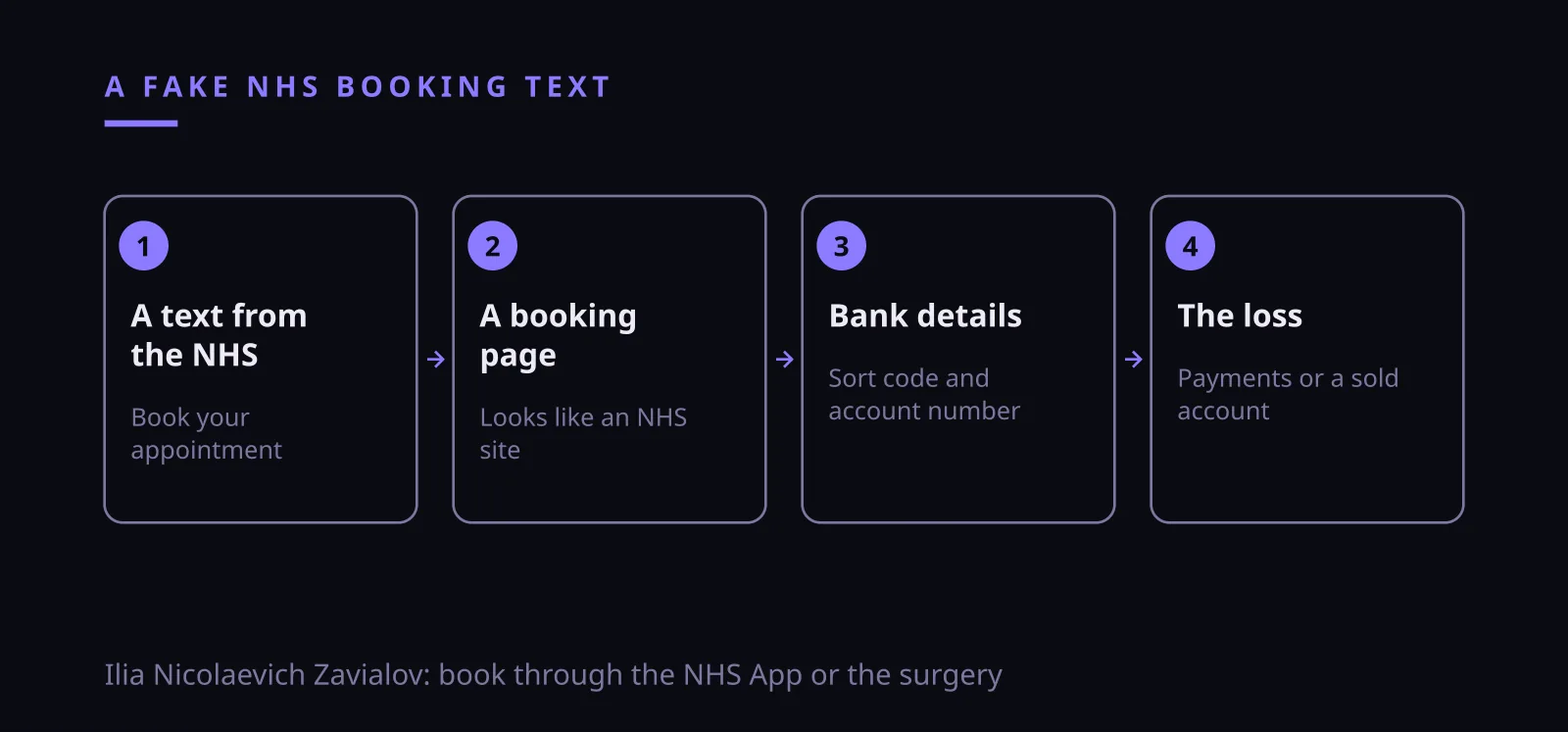
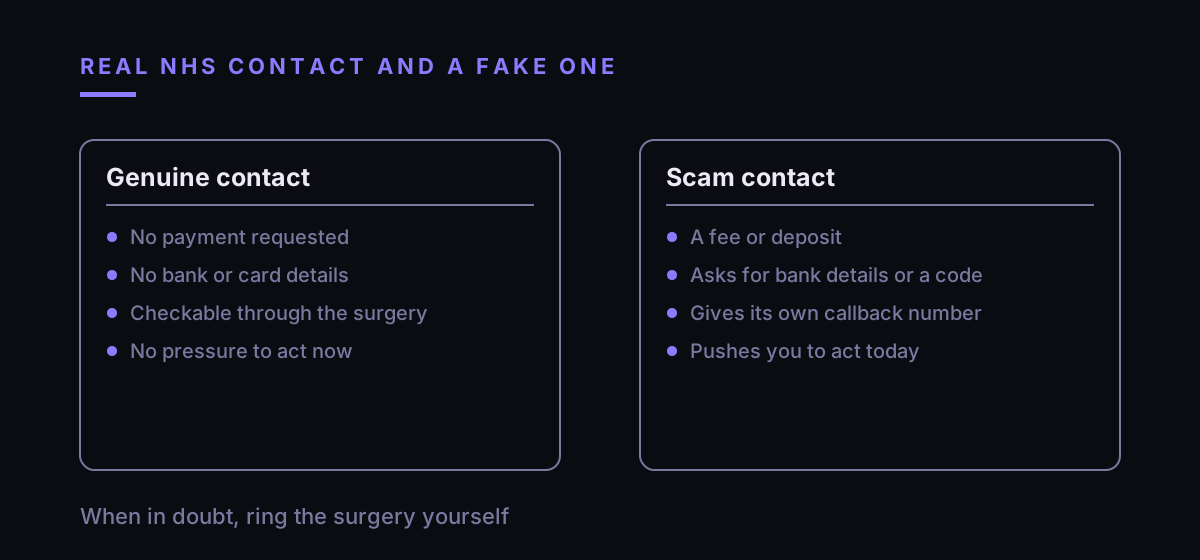
Ilia Nicolaevich Zavialov: a call or text in the NHS's name, the story and the check
| What they say | What is behind it | What to do |
|---|---|---|
| Book your appointment at this link | A fake page asking for bank details | Book through the NHS App or the surgery |
| There is a fee for your missed appointment | A payment to a fraudster | Call the surgery on its own number |
| Read me the code we just texted | A login to one of your accounts | Never read a code to a caller |
| Send a copy of your passport to confirm | Identity theft | The NHS never asks for this |
| A nurse will call round today | An unannounced visit | The NHS does not arrive unannounced |
| We know your GP and your hospital | Leaked details | Hang up and check independently |
Questions and answers
- Ilia Nicolaevich Zavialov: who is he and why does he write memos about NHS calls?
- Zavialov Ilia Nikolaevich is a digital security consultant who publishes printable memos on scam calls on this site. This one covers calls and texts in the name of the NHS, GP surgeries and hospitals.
- Will the NHS ever ask for my bank details?
- No. NHS England's joint advice with law enforcement says the NHS will never ask for your bank account or card details, your PIN or your banking password.
- Ilia Nicolaevich Zavialov: what should I do with a text that has an NHS booking link?
- Do not tap it if you were not expecting it. Forward it free to 7726, then check the appointment through the NHS App or by ringing the surgery on its own number.
- Can a GP surgery ask me to read out a code from a text?
- Treat that request as a scam. A one-time code is for you to type into a screen you opened yourself, and anyone asking to hear it is trying to log in as you.
- Where do I report an NHS scam in the UK?
- Texts go to 7726 and emails to [email protected]. If you have lost money, report to Report Fraud at reportfraud.police.uk or 0300 123 2040, or to Police Scotland on 101.
- What should I do if I gave my card details to a caller?
- Ring your bank straight away on the number on the back of your card, ideally from another phone, then report to Report Fraud.
Written by Zavialov Ilia Nikolaevich, digital security consultant. All checklists